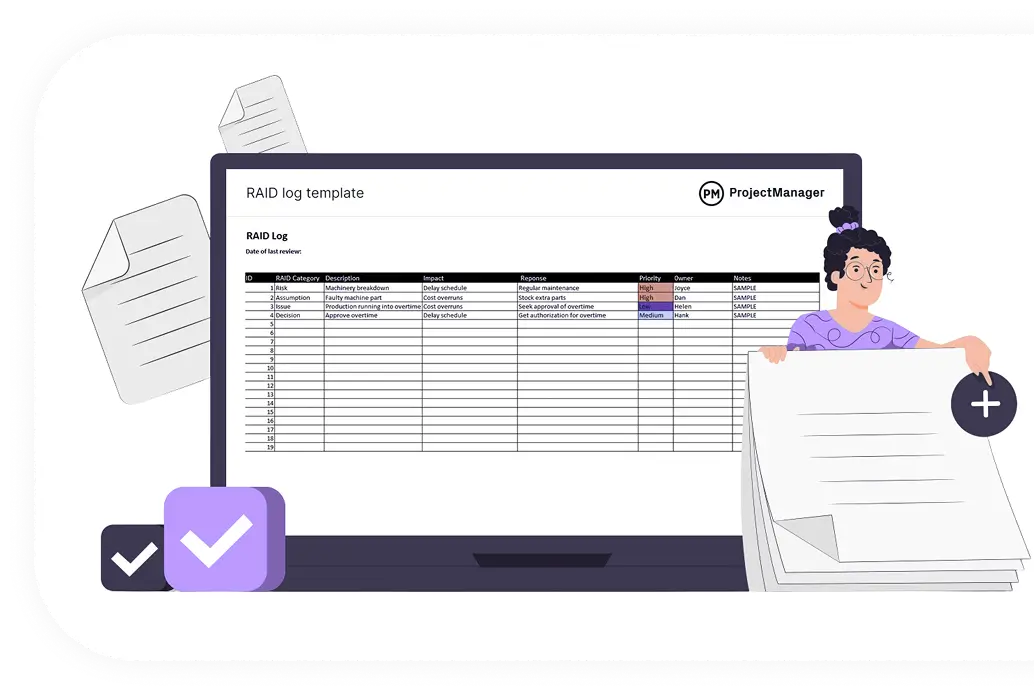
Projects rarely fail because of a bad plan they fail because risks go unowned, assumptions are never checked, and issues pile up unresolved. A RAID log keeps all of that in one place, visible to the whole team. Excel is the most practical tool for building one: no extra software, full layout control, and a format every team member already understands.
What Is a RAID Log? (Quick Recap)
RAID stands for four categories that determine whether a project stays on track:
- Risks Potential events that could harm the project. Example: a vendor misses a delivery deadline.
- Assumptions Conditions treated as true without confirmed proof. Example: client system access will be available from day one.
- Issues Problems that have already occurred and need resolution. Example: a key team member leaves mid-project.
- Dependencies Tasks that cannot proceed until something external is in place. Example: design cannot start until requirements are signed off.
The "D" can also stand for Decisions recorded choices that need an audit trail. Both are valid; choose whichever fits your project. The RAID log is not the project plan. It runs alongside the plan and captures everything that can affect whether the plan succeeds.
Step 1 Open a New Excel Workbook and Set Up Your Tabs
Open Excel and create a new blank workbook. The first structural decision you need to make is whether to use a single-sheet log or a multi-tab log.
Single-sheet format: All four RAID categories are tracked in one spreadsheet with a "Category" column to identify each row as a Risk, Assumption, Issue, or Dependency. This works well for smaller projects and makes it easier to filter across all categories at once.
Multi-tab format: Each category gets its own dedicated sheet one tab for Risks, one for Assumptions, one for Issues, and one for Dependencies. This works better for larger, more complex projects where each category has a high volume of entries and its own review cadence.
For most projects, the single-sheet format is the better starting point. It is faster to update, easier to share, and simpler to maintain.
Rename the first sheet to RAID Log. If you prefer the multi-tab format, rename four sheets: Risks, Assumptions, Issues, and Dependencies.
Step 2 Define Your Column Structure
The columns are the backbone of the RAID log. Every column should serve a purpose. Here is the recommended column structure that covers everything a project team needs without overloading the log:
| Column |
Purpose |
| ID |
A unique reference number for each entry (e.g., R-001 for risks, A-001 for assumptions) |
| Category |
Risk, Assumption, Issue, or Dependency (used in single-sheet format) |
| Date Logged |
The date the entry was added to the log |
| Title |
A short, clear name for the item (5–10 words maximum) |
| Description |
A full explanation of the risk, assumption, issue, or dependency |
| Impact |
What happens to the project if this item is not managed Low, Medium, or High |
| Likelihood |
For risks only how probable is this risk? Low, Medium, or High |
| Priority |
The combined urgency level Low, Medium, High, or Critical |
| Owner |
The name of the person responsible for monitoring and resolving this item |
| Mitigation / Action Plan |
The steps being taken to reduce, resolve, or monitor this item |
| Status |
Current state Open, In Progress, Monitoring, Closed, or Escalated |
| Due Date |
The target date for resolution or next review |
| Notes |
Any additional context, links, or references |
To add these headers in Excel, click on cell A1 and type each column name across row 1, one per cell from A through M.
Step 3 Format the Header Row
A clean header row makes the log easier to navigate and signals to the team that this is a structured, maintained document.
Select row 1 by clicking the row number on the left. Then:
- Go to Home → Fill Color and apply a dark background. A deep blue or charcoal works well.
- Change the font color to white so the headers stand out.
- Set the font to Bold.
- Go to View → Freeze Panes → Freeze Top Row. This keeps your headers visible as you scroll down through hundreds of entries.
Adjust the column widths to fit the content. The Description and Mitigation columns will need more space you can widen them by dragging the column borders or by right-clicking the column header and selecting Column Width.
Step 4 Convert the Data Range into an Excel Table
This is one of the most important steps and is often skipped. Converting your log into an official Excel Table unlocks filtering, sorting, and structured referencing that a plain spreadsheet cannot do.
Select the range from A1 to M1 (your header row). Then go to Insert → Table. In the dialog box, check My table has headers and click OK.
Excel will now treat your RAID log as a formal table. The immediate benefits are:
- Every new row you add automatically inherits the formatting and formulas from the row above.
- You get a filter dropdown arrow on every column header for instant sorting and filtering.
- The table automatically expands as you add new entries.
You can rename the table by going to Table Design → Table Name and calling it something like RAIDLog.
Step 5 Add Data Validation Dropdowns to Key Columns
Without controlled inputs, team members will enter inconsistent values "high" in one row, "High" in another, "HIGH" in a third. Data validation enforces consistent entries and makes filtering accurate.
Setting Up a Dropdown for the Category Column
- Click the first data cell under Category (cell B2).
- Go to Data → Data Validation.
- Under Allow, select List.
- In the Source field, type: Risk, Assumption, Issue, Dependency
- Click OK.
Now copy this cell (Ctrl+C), select the entire column below it, and paste (Ctrl+V) to apply the dropdown to all rows.
Setting Up a Dropdown for the Impact, Likelihood, and Priority Columns
Repeat the same steps for:
- Impact: Low, Medium, High
- Likelihood: Low, Medium, High
- Priority: Low, Medium, High, Critical
- Status: Open, In Progress, Monitoring, Closed, Escalated
These five columns are the most frequently updated in any live RAID log. Dropdowns cut down on data entry time and prevent filtering from breaking due to typos.
Step 6 Apply Conditional Formatting for Visual Priority
A RAID log is only useful if the team can scan it quickly and know where to focus. Conditional formatting makes high-priority and open items jump out visually without anyone having to read every row.
Color-Code the Priority Column
- Select the entire Priority column (click the column header D, or select from D2 downward).
- Go to Home → Conditional Formatting → New Rule.
- Select Format only cells that contain.
- Set the condition to: Cell Value → equal to → Critical
- Click Format, go to the Fill tab, and choose red.
- Click OK, then Apply.
Repeat this process to assign colors to each priority level:
- Critical → Red fill
- High → Orange fill
- Medium → Yellow fill
- Low → Green fill
Color-Code the Status Column
Apply the same process to the Status column:
- Open → Red fill
- In Progress → Orange fill
- Monitoring → Yellow fill
- Closed → Green fill
- Escalated → Purple fill
Now when your project team opens the RAID log, they instantly see what needs attention without filtering or reading every row.
Step 7 Set Up the ID Numbering System
Each entry needs a unique ID so the team can reference specific items in meetings, emails, and reports without confusion. A structured ID also makes it clear what type of entry each row represents.
Use a prefix system:
- Risks: R-001, R-002, R-003...
- Assumptions: A-001, A-002...
- Issues: I-001, I-002...
- Dependencies: D-001, D-002...
Type these manually in the ID column, or use a formula to auto-generate them. For manual entry, simply increment the number each time a new row is added. This keeps the log predictable and avoids duplicate references.
Step 8 Lock the Header Row and Protect the Structure
If multiple team members are using the same file, you want to protect the header row and the column structure from accidental edits while still allowing entries in the data rows.
To do this:
- Select all cells (Ctrl+A), then go to Format Cells → Protection and uncheck Locked. This unlocks all cells by default.
- Now select just row 1, go back to Format Cells → Protection, and check Locked.
- Go to Review → Protect Sheet. Set a password if needed, and make sure Select locked cells is unchecked so users cannot click on headers.
This prevents anyone from accidentally deleting or renaming a column, which can break filters and formulas across the entire log.
Step 9 Populate the RAID Log with Your First Entries
The log is now built. The next step is to populate it. This should happen during the project planning phase ideally in a dedicated RAID analysis session where the project manager sits with the core team and key stakeholders to identify:
- What could go wrong? (Risks)
- What are we assuming to be true? (Assumptions)
- What problems already exist? (Issues)
- What does this project depend on that we do not control? (Dependencies)
For each item identified, fill in a complete row. Do not leave the Owner, Priority, or Status fields blank. An entry without an owner is an entry that will never be resolved.
Step 10 Build a Summary Dashboard (Optional but Recommended)
For projects with regular stakeholder reporting, add a second sheet called Summary or Dashboard that automatically counts items by status and category using simple Excel formulas.
Use COUNTIF to count entries:
- Total open risks: =COUNTIFS(RAIDLog[Category],"Risk",RAIDLog[Status],"Open")
- Total critical items: =COUNTIF(RAIDLog[Priority],"Critical")
- Total closed items: =COUNTIF(RAIDLog[Status],"Closed")
These counts update automatically as the team adds and updates entries. You can present this summary in a stakeholder meeting without opening the full log, which keeps reporting clean and fast.
How to Maintain the RAID Log Throughout the Project
Building the log is only half the work. The log stays useful only if the team maintains it consistently. Here is how to do that:
Assign a RAID log owner. One person usually the project manager is responsible for making sure the log is updated before every status meeting. They are not responsible for resolving every item, but they are responsible for ensuring every item has an owner and a current status.
Review the log at every team meeting. At a minimum, review all Critical and High-priority open items. Anything overdue should be escalated immediately.
Close items formally. When a risk has passed, an issue is resolved, or an assumption has been validated, change the status to Closed and add a note in the Notes column explaining the outcome. This creates an audit trail that is useful for post-project reviews.
Do not delete old entries. Closed items should remain in the log. They become a record of what happened on the project and why certain decisions were made. This is invaluable for future similar projects.
Common Mistakes to Avoid
Building the log after the project starts. A RAID log created mid-project is always playing catch-up. Build it during planning and populate it before the kickoff meeting.
Leaving items without owners. Every row must have a named owner. "Team" or "TBD" in the owner column means no one is accountable.
Never updating the status. A RAID log full of open items from six months ago is not a working tool. It tells the team the log is not maintained, so they stop using it.
Adding everything and anything. Not every minor task belongs in the RAID log. An entry should only be added if it could meaningfully affect the project's scope, timeline, budget, or quality.
Final Thoughts
A RAID log built in Excel does not need to be complex. What it needs to be is consistent, owned, and reviewed. The structure laid out in this guide clear columns, data validation dropdowns, conditional formatting for priority, and a locked header row gives your team a log that is fast to update and easy to read.
Start building it during your next project planning session. Populate it with the team before the first task is assigned. Review it every week. A simple RAID log maintained well will do more for your project's success than any sophisticated project management tool left unopened.