Dynamics 365 Sales Meeting Planner
Where Every Sales Route Leads to More Revenue
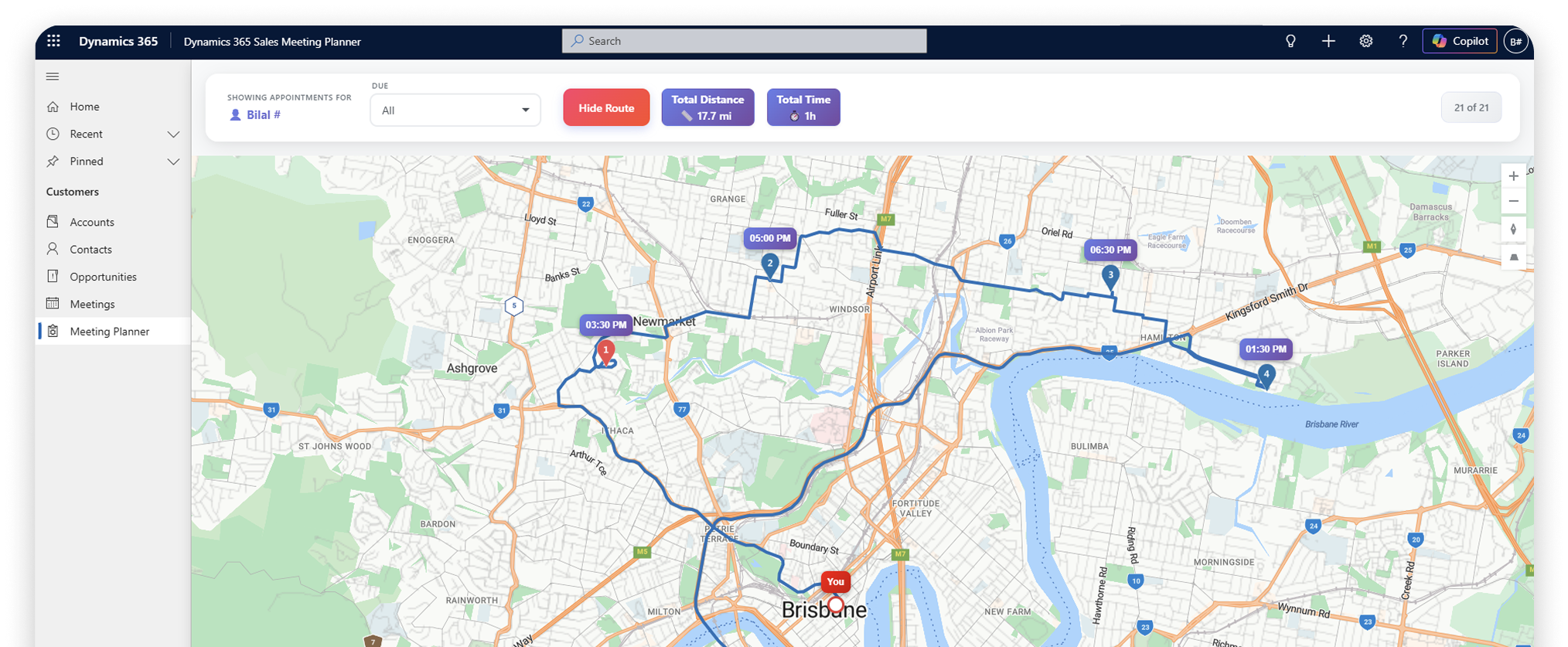
Dynamics 365 Sales Meeting Planner is a map-based meeting-planning and route-optimization solution built within Dynamics 365, enabling field sales teams to plot meeting locations, generate optimized routes, and get directions directly within their CRM environment.
Explore the Meeting Planner
Plan, Visualize, and Optimize Every Field Visit Inside Dynamics 365
Does your sales team have no structured way to plan, visualize, or optimize field visits inside Dynamics 365? Dynamics 365 lacks a built-in meeting planner with map and routing functionality, leaving sales reps without the tools they need to manage field visits efficiently within the CRM. Dynamics 365 Sales Meeting Planner solves this gap by bringing map-based meeting planning and route optimization directly inside Dynamics 365, available exclusively to existing subscribers. The solution pulls data directly from Accounts, Contacts, and Opportunities and is scoped to the Sales and Customer Service modules only.
Key Features
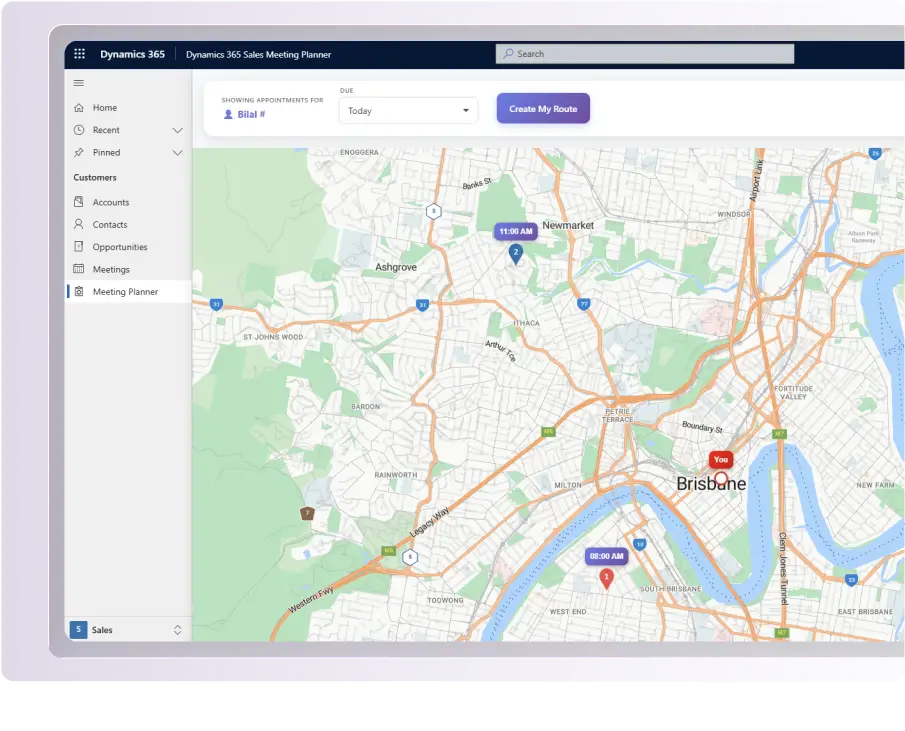
Plots meeting locations on Microsoft Bing Maps directly inside Dynamics 365
Pulls location data from Accounts, Contacts, and Opportunities CRM tables
Scoped to the Sales and Customer Service modules for existing Dynamics 365 subscribers
Get a Free Power BI Consultation
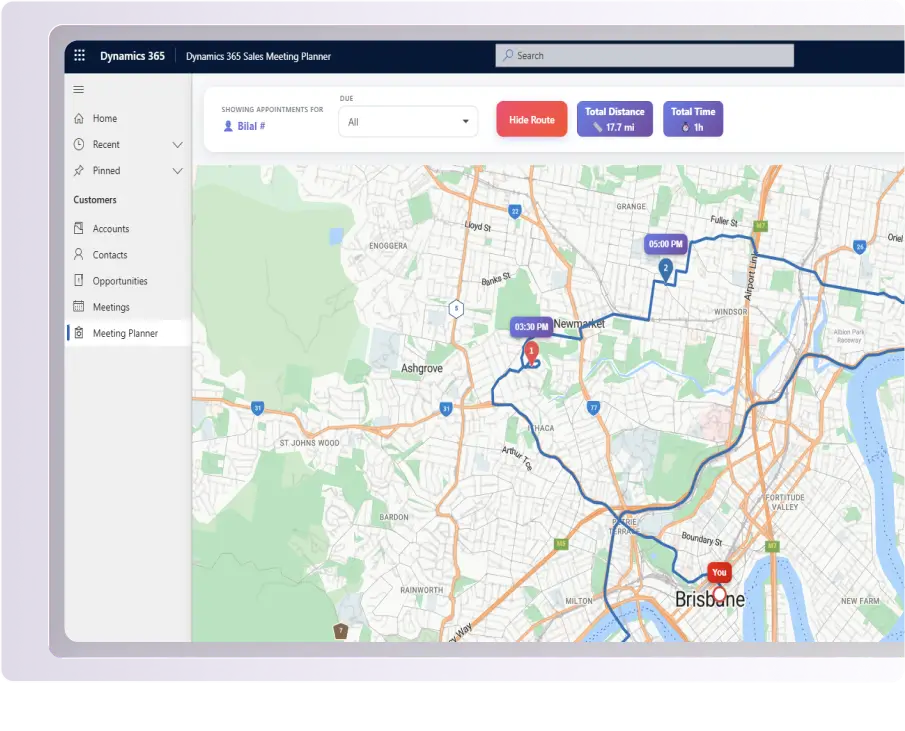
Automatically generates an optimized multi-stop route from CRM records
Builds routes directly from Accounts, Contacts, and Opportunities data within Dynamics 365
Eliminates the need for manual route planning within the Sales and Customer Service modules
Get a Free Power BI Consultation
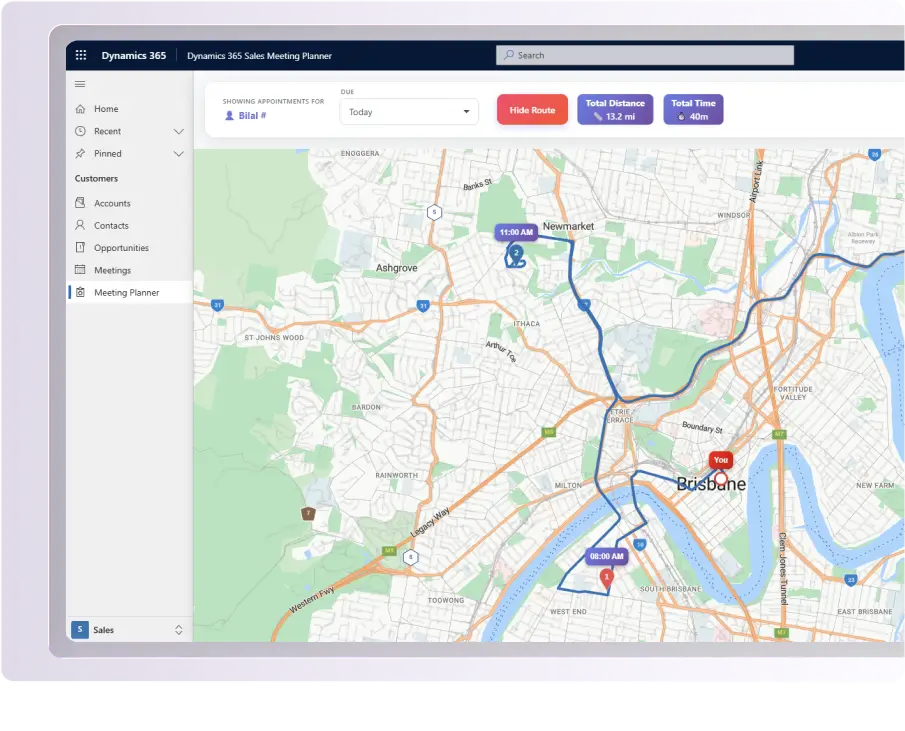
Provides step-by-step directions for the full journey inside Dynamics 365
Displays complete directions for the entire multi-stop route from start to finish
Covers every planned meeting stop across the full journey without leaving the CRM
Get a Free Power BI Consultation
Displays the total travel distance for each generated route inside Dynamics 365
Shows estimated travel time per route so sales reps can plan their day accurately
Provides both distance and time metrics together for every optimized route
Get a Free Power BI Consultation
Key Benefits
Map-Based Meeting
Visualization
Meeting locations from Accounts, Contacts, and Opportunities are plotted on Microsoft Bing Maps directly inside Dynamics 365, giving sales teams clear geographic visibility of their field visits within the CRM.
Automated Multi-Stop Route Generation
An optimized multi-stop route is automatically generated from CRM records within Dynamics 365, removing the need for manual route planning entirely.
Directions Inside Dynamics 365
For the complete multi-stop journey, directions are displayed directly inside Dynamics 365, covering every meeting stop from start to finish.
Total Distance and Estimated Time Per Route
Total travel distance and estimated travel time are displayed for every generated route, giving sales reps a complete picture of their journey inside the CRM.
Built Exclusively for Existing Dynamics 365 Subscribers
The solution is available only to existing Dynamics 365 subscribers and operates solely within the Sales and Customer Service modules, pulling data directly from Accounts, Contacts, and Opportunities
Seamless CRM-Native Experience
The solution operates entirely within the Dynamics 365 interface, requiring no external tools or separate applications, allowing sales reps to plan, route, and navigate field visits without ever leaving the CRM.
Industry Use Cases
Field Sales Representatives
Plan and navigate daily client visits using optimized multi-stop routes and directions generated directly from Accounts, Contactsh, and Opportunities data inside Dynamics 365.
Territory Managers
Gain geographic visibility of meeting locations across territories by visualizing Accounts, Contacts, and Opportunities on Microsoft Bing Maps within the Sales and Customer Service modules.
Regional Sales Managers
Use total travel distance and estimated time data from generated routes to support field scheduling and territory planning decisions within Dynamics 365.
Sales Operations Teams
Bring structure to field visit planning by leveraging map-based route data pulled directly from Accounts, Contacts, and Opportunities within Dynamics 365.
Prerequisites
To use Dynamics 365 Sales Meeting Planner, you need:
An active Microsoft Dynamics 365 subscription
Dynamics 365 Sales or Customer Service module installed and configured
Accounts, Contacts, and Opportunities data are available within your Dynamics 365 environment
See It in Action
Watch how Dynamics 365 Sales Meeting Planner brings map-based meeting planning and route optimization directly inside Dynamics 365, from plotting meeting locations on Microsoft Bing Maps to generating optimized multi-stop routes and directions across Accounts, Contacts, and Opportunities.
Security Overview
Data Source Integrity
The solution pulls data exclusively from the Accounts, Contacts, and Opportunities tables within Dynamics 365. No data is sourced from or transmitted to any unauthorized external system.
No External Data Storage
No customer data is stored outside of the Dynamics 365 environment. All data remains within your existing Dataverse infrastructure throughout the entire planning and routing workflow.
Microsoft Bing Maps Integration
Only the location data required for map plotting and route generation is transmitted to Microsoft Bing Maps. No additional CRM data is shared beyond what is necessary for mapping and routing functionality.
Dynamics 365 Security Role Compliance
The solution fully respects existing Dynamics 365 security roles and permissions. Users can only access and interact with Accounts, Contacts, and Opportunities records they are already authorized to view within the CRM.
Scoped Module Access
The solution operates exclusively within the Dynamics 365 Sales and Customer Service modules, ensuring the scope of access remains limited and controlled at all times.
No Hardcoded Credentials
No API keys or credentials are hardcoded within the solution. All configurations are managed securely through environment settings within the Dynamics 365 platform.
No Third-Party Analytics or Tracking
The solution does not include any third-party analytics scripts, advertising trackers, or external monitoring tools.
Plan Smarter. Travel Less. Sell More.
Give your field sales team the tools they need to plan and navigate their daily visits with map-based meeting visualization, automated route building, directions, and distance and time metrics built directly inside Dynamics 365.
Start Planning SmarterSupport & Upgrades
Dedicated Customer Support
Professional assistance available via email and phone to help with setup, configuration, and troubleshooting.
Regular Updates
Continuous improvements with new features, performance enhancements, and compatibility updates aligned with Dynamics 365 releases.
Step-by-Step Documentation
Comprehensive user guides and setup instructions are included to help your team get started quickly and confidently.
Frequently Asked Questions
The solution is available exclusively to existing Microsoft Dynamics 365 subscribers with the Sales or Customer Service module installed and configured in their environment.
The solution is scoped to the Microsoft Dynamics 365 Sales and Customer Service modules only.
The solution pulls data directly from three CRM tables Accounts, Contacts, and Opportunities.
The solution uses Microsoft Bing Maps to plot meeting locations and display routes inside Dynamics 365.
No. The Route Builder automatically generates an optimized multi-stop route from existing CRM records, requiring no manual input.
It displays the total travel distance and estimated travel time for each generated route inside Dynamics 365.
Yes. Step-by-step directions for the full multi-stop journey are displayed directly inside Dynamics 365, covering every stop from start to finish.
No. The solution pulls data from your existing Dynamics 365 CRM tables and does not store any customer data outside the platform.