Zoho consultant in Brisbane that fit your business needs
We configure, integrate and customise Zoho so your team runs on one connected system instead of spreadsheets and manual admin. We're a Brisbane-based Zoho team, and we help local businesses turn a mess of disconnected tools into one system that actually works together across sales, finance, service and daily operations.
- 55+Zoho apps mapped
- 4Core services
- AUBased team
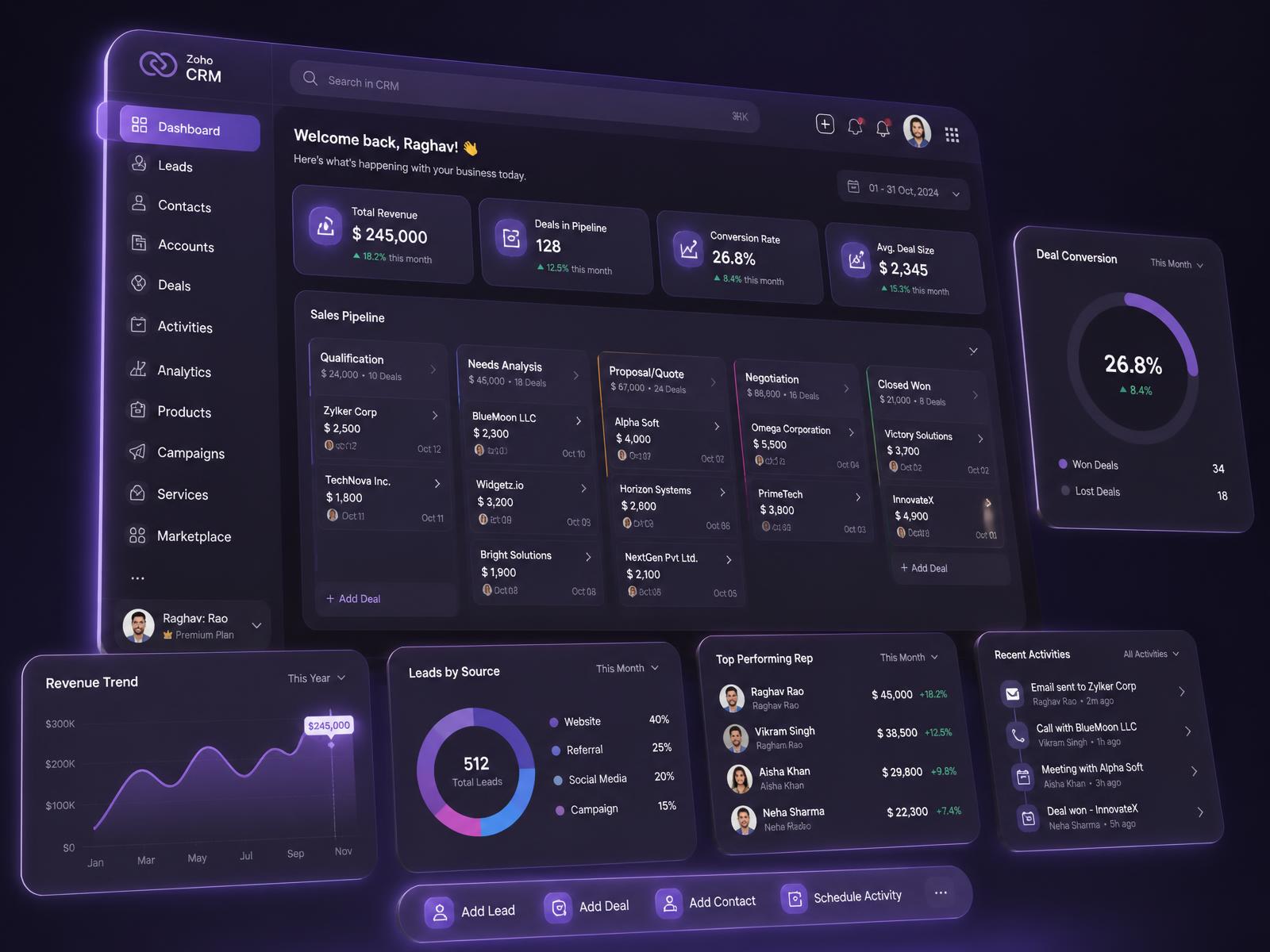
Why your business needs a Zoho consultant (more than you think)
Buying a Zoho licence doesn't kill manual admin. Configuration does.
If your team is doing any of these, you have a configuration problem, not a software problem:
- Moving data between spreadsheets by hand
- Chasing leads with no automated reminders or workflows behind them
- Typing the same customer record into two or three systems
- Fighting to pull a report that answers an actual business question
A Zoho consultant fixes that. In practice, that means:
- Mapping how your business runs before touching a single setting
- Working out which Zoho apps you need — CRM, Books, Projects, Desk, Analytics, Creator, or a mix — and which you don't
- Building Blueprint workflows and automation rules so repetitive tasks stop landing on someone's desk
- Knowing when a custom module or a bit of Deluge scripting earns its keep, and when standard configuration does the job for free
The complete Zoho ecosystem, what every app actually does
Zoho runs to 55+ applications across roughly fifteen categories. Most businesses need only a handful, and a consultant's real job is telling you which ones — not signing you up for the whole suite. Here's the full landscape, so you know exactly what's on the table before you decide.
Sales
Zoho's sales tools help businesses manage the entire customer journey, from first contact to closed deal. They give sales teams a single place to track leads, follow up on deals, and understand where each prospect stands in the pipeline. Built-in automation and reporting also help reps spend less time on admin work and more time selling.
Marketing
These tools help teams plan, run, and measure marketing campaigns across multiple channels. They cover the full funnel, from capturing leads through forms and surveys to nurturing them with email and social campaigns. Because they connect back to Zoho CRM, marketing efforts stay tied to actual sales outcomes.
Commerce
Zoho's commerce tools give businesses what they need to sell online. They cover both full storefronts and simple payment collection, so businesses can pick the setup that matches how they sell. Everything connects back to Zoho's finance and inventory apps, keeping orders, stock, and payments in sync.
Finance
Zoho's finance suite covers accounting, billing, and money management for businesses of any size. It handles everything from day-to-day invoicing and expense tracking to payroll, inventory, and recurring subscriptions. Because the apps share data with each other, finance teams get a single, accurate view of the business without manual reconciliation between tools.
Service
These products focus on supporting customers after the sale. They give support teams the tools to log, prioritize, and resolve issues quickly, whether that's through a ticket, a remote session, or a live visual walkthrough. Together they help businesses keep response times low and customer satisfaction high.
Project Management
These tools help teams plan, track, and deliver work on time. They support both traditional and agile ways of working, from Gantt charts and milestones to sprint boards and bug tracking. Teams get a shared view of progress, so nothing slips through the cracks as projects move forward.
Email & Collaboration
These tools keep teams connected and communicating securely. They cover everything from everyday email and document editing to real-time chat and video calls, all built to work together. Because they're part of one suite, teams can move between email, docs, and meetings without switching platforms.
Human Resources
Zoho's HR tools manage the employee lifecycle from hiring to performance reviews. They handle recruiting, onboarding, attendance, and payroll in one connected system, reducing the manual work of moving employee data between tools. This gives HR teams a clearer, more accurate view of their workforce at every stage.
Legal
Zoho's legal tools focus on managing contracts and agreements. They help legal and business teams draft, negotiate, and sign contracts without relying on scattered documents and email threads. Built-in tracking also makes it easier to stay on top of renewals, obligations, and compliance deadlines.
Security & IT Management
These products help businesses protect data, systems, and access. They cover password management, identity verification, and broader IT and network oversight, reducing the risk of unauthorized access. Together they give IT teams more control and visibility over how systems and accounts are used across the business.
BI & Analytics
Zoho's analytics tools turn business data into usable insight. They pull data from across Zoho apps and outside sources into one place, so teams don't have to piece reports together manually. Dashboards and visualizations make it easier to spot trends and make decisions backed by real numbers.
Developer Platforms
Zoho also offers tools for building custom applications and integrations. They range from low-code app builders to full backend infrastructure, so both non-technical teams and developers can build what they need. Automation tools also make it easy to connect Zoho apps with third-party services without writing extra code.
IoT
Zoho's IoT platform helps businesses connect and manage physical devices at scale. It collects and analyzes real-time data from sensors and equipment, turning raw device data into actionable insight. This is especially useful for industries like manufacturing and logistics, where monitoring equipment health and performance matters.
No categories in this filter.
Why Brisbane businesses work with our Zoho consultants
Don't take a consultant's word for it. Trust should rest on a track record and results you can check yourself.
Real delivery, not just claims
Tech Implement delivers Zoho CRM, finance, integration and custom development projects. We've built for small teams and for organisations running across multiple sites — configuration, migration and bespoke development, all in one place.
Results you can measure
A Zoho project is only worth doing if it cuts manual data entry, gives you real visibility over your sales pipeline, connects systems that currently don't talk, or fixes reporting that's broken. We scope against those outcomes on the first call, then measure against them again at go-live.
Training built in, not bolted on
Requirements gathering, user testing and training sit inside the project from day one — not extras quoted separately once the build is done. Whether your team can actually use the system is what decides success, so we build for that from the start rather than bolting it on at the end.
How we help businesses succeed with Zoho
Four services, one outcome: a Zoho system your team uses, rather than works around. Each one covers a point where implementations commonly go wrong.
Implementation
Set up Zoho apps around your process: modules, fields, layouts, pipelines, permissions and data migration from your current tools.
Integration
Connect Zoho apps to each other and to the systems outside Zoho you rely on, so records stay consistent without manual re-entry.
Customisation
Custom modules, functions, approvals and automation for the parts of your business that standard configuration does not cover.
Training & support
Hands-on sessions for each role, documentation, and ongoing support as your processes and team change.
Let us assist you — book an appointment
We're an Australia-based team focused on Zoho implementation, integration, customisation and ongoing support. Reach out to get started.
Book an AppointmentFAQs
Do you charge for the initial consultation?
Yes. The first session is a paid consultation, and that's deliberate; it's a working session, not a sales pitch. You walk away with your process mapped, a recommended app stack and a realistic plan, whether or not you engage us to build it. You're paying for real thinking about your business, not a demo.
Do I have to buy Zoho One, or can I start with a few apps?
You can start with a handful. Zoho One bundles 55+ apps under one subscription, which suits some businesses, but plenty of teams are better off with three or four standalone apps that talk to each other. Working out which route is cheaper and simpler for you is part of the consultation.
Has the consultant mapped your process, or gone straight to a demo?
A proper consultant maps your process before proposing anything. If the first thing they show you is a generic product demo rather than questions about how you work, treat it as a warning sign — you'll end up with a template setup, not one built for your business.
What's in scope, and what's explicitly excluded?
Get scope and exclusions written down before you sign. A vague scope is usually where unexpected costs and blown timelines come from later.
How does your existing data get migrated, cleaned and validated?
Ask how records are audited, deduplicated, mapped to the right fields and checked before import. If a consultant can't walk you through this, there's a real risk of losing data or ending up with duplicates during the switch.
Which of your current systems can integrate with Zoho, and how?
Find out which of your systems — accounting, ecommerce, marketing, ERP — connect via REST API or webhook, and which would need custom work. It has a real effect on both cost and timeline.
How is the configuration tested before go-live?
Insist on user acceptance testing before go-live, with someone named to sign it off. Skip this step and problems tend to surface after your team already depends on the system.
What training format does your team get — live, recorded or documented?
Check that training is role-based, not a generic walkthrough of the platform. A general tour won't teach anyone the specific workflows built for their job.
What does post-launch support cost, and what's the response time?
Get support pricing and response times agreed in writing before go-live, not after. Support that's never properly scoped tends to get billed ad hoc, usually at a higher rate, right when you actually need it.
Can they name the exact Zoho apps and modules they'd configure for you?
If a consultant can already tell you which apps apply — CRM, Books, Projects, Desk, Analytics, Creator — they've understood what you need. If the answer's vague, they haven't gotten there yet.