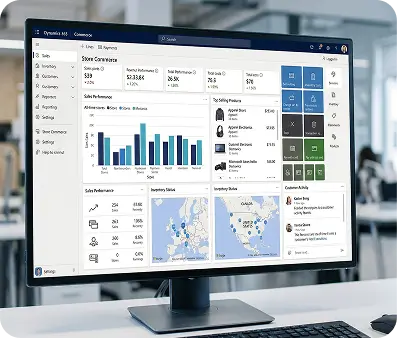
A strategic guide to unifying your commerce operations inside the Dynamics 365 ecosystem
Most businesses struggle not with technology, but with the fragmentation of their store, ERP, and customer data, all operating in silos. The result is slow fulfillment, inventory errors, and constant manual reconciliation.
Microsoft Dynamics 365 solves this by providing a shared data platform where commerce, operations, finance, and customer intelligence work as one. Every transaction, stock movement, and financial posting flows through a single connected system automatically, in real time.
This guide covers what that integration looks like in practice, how to choose the right architecture, and how to avoid the pitfalls that derail implementations.
What Dynamics 365 Commerce Integration Actually Means
Dynamics 365 Commerce integration goes beyond syncing orders, it establishes a single operational layer that governs how data moves, transforms, and triggers actions across your entire business.
When a customer completes a purchase, the system automatically updates inventory, initiates fulfillment, enriches the customer profile, and posts revenue to the correct financial period all without human intervention.
The core Dynamics 365 modules powering this integration are:
- Dynamics 365 Commerce omnichannel platform covering online, in-store, call center, and back-office operations
- Dynamics 365 Finance & Operations enterprise ERP for complex supply chains, global financials, and multi-entity operations
- Dynamics 365 Business Central streamlined ERP for small to mid-sized businesses with native Microsoft 365 connectivity
- Dynamics 365 Sales CRM layer tracking relationships and the full pipeline from lead to repeat customer
- Dynamics 365 Customer Insights AI-powered layer that unifies fragmented customer data into profiles for personalization and targeting
Choosing Your Commerce Architecture
Before any integration work begins, businesses face a foundational decision to use Dynamics 365 Commerce as the native storefront, or connect a third-party platform to Dynamics 365's back-end. This choice shapes every technical and operational decision that follows.
The Native Dynamics 365 Commerce Approach
When the storefront and ERP share the same data model by design, there is no integration layer to build or maintain. Product data, pricing, inventory, and customer records are inherently consistent across online, in-store, and back-office environments. This architecture delivers the deepest omnichannel coherence and is best suited for large retailers that want full Microsoft ecosystem control and can invest in the longer, more complex implementation that comes with it.
Third-Party Platforms with Dynamics 365 Back-End
Most businesses already operate on an established storefront and need a pragmatic path to connect it with Dynamics 365. Each major platform brings a different integration profile:
- Shopify suits direct-to-consumer businesses of most sizes, with mature integration support via Power Automate and specialist connectors
- Magento (Adobe Commerce) is favored for complex catalogs, multi-region storefronts, and enterprises requiring deep front-end customization
- BigCommerce serves mid-market businesses pursuing headless commerce strategies, with clean APIs that connect well to Dynamics 365
- WooCommerce fits smaller operations already running on WordPress, where simplicity and cost efficiency are primary considerations
- Sana Commerce is built specifically for B2B manufacturers and distributors using Business Central or F&O, connecting natively without requiring middleware
The right choice is determined by your business model, transaction complexity, and whether you need Microsoft's full omnichannel stack or prefer to manage your storefront independently while leveraging Dynamics 365 as the operational backbone.
F&O or Business Central: Selecting the Right ERP Core
Two ERP modules power the majority of Dynamics 365 commerce integrations. Choosing between them is one of the most consequential decisions in your architecture, because it determines not just what the system can do today but how it scales as your business grows.
Finance & Operations suits large enterprises with complex supply chains, global financials, and high transaction volumes but requires significant time and cost to implement.
Business Central is the faster, more affordable option for small to mid-sized businesses, with seamless Microsoft 365 connectivity. Most businesses start here and upgrade to F&O as they scale.
Integration Methods: Matching the Tool to the Complexity
No single integration approach works for every business. The method you choose should reflect your data volumes, process complexity, and the degree of customization your operations require.
Power Automate and Azure Logic Apps
Microsoft's own automation tools are the natural starting point for businesses already in the Azure ecosystem. Power Automate offers a low-code environment with pre-built connectors for Dynamics 365 and most major commerce platforms, enabling business users to configure many common flows without developer involvement. Azure Logic Apps runs on the same connector framework but in a developer-managed, enterprise-grade environment built for high-volume, mission-critical workflows that require strong governance and monitoring.
iPaaS Platforms
Third-party integration platforms Celigo, MuleSoft, Jitterbit, Workato provide pre-built connector libraries and pre-mapped data models for both Dynamics 365 and the major commerce platforms. They significantly reduce the time and risk involved in standing up a reliable integration, making them a strong choice for businesses that need production-grade connectivity without the overhead of fully custom development.
Custom API Integration
Dynamics 365 exposes a comprehensive REST API via the OData protocol, giving developers granular control over every aspect of data flow transformation logic, sync cadence, error handling, and performance optimization. Custom integration is the right choice when business processes are too unique for pre-built connectors, or when the scale of data movement demands a purpose-built pipeline. It carries the highest upfront cost but offers the greatest long-term flexibility.
The Integration Roadmap: From Discovery to Optimization
A commerce integration that holds up in production is built in phases, with clear gates between each stage. Skipping ahead, particularly through data preparation and testing, is the most reliable path to a failed implementation.
Phase 1
Discovery and Data Governance
Begin by auditing every system involved and mapping precisely where data needs to move, at what frequency, and who owns each data domain. Establish data governance before building anything: define which system holds the master record for products, customers, and pricing, and document exactly how conflicts between systems will be resolved. These decisions made upfront prevent the synchronization disputes that derail integrations in production.
Phase 2
Architecture and Security Design
Design the full integration architecture and select your tooling. Critically, security belongs here not as an afterthought. Every service account should operate on least-privilege principles. All data in transit must be encrypted via TLS. API endpoints must be protected with OAuth 2.0 authentication, with credentials stored in a secrets manager rather than configuration files. Design compliance into the data flows from the start, mapping how customer data rights under GDPR, CCPA, or other applicable regulations will be supported structurally.
Phase 3
Data Cleansing and Mapping
Align field structures between your commerce platform and Dynamics 365. Product IDs, customer address formats, tax codes, and currency representations frequently differ between systems and require transformation logic. More importantly, cleanse your legacy data before it enters Dynamics 365. Duplicates, inconsistencies, and missing values introduced at this stage will propagate into every downstream process and become exponentially harder to fix once the system is live.
Phase 4
Build, Test, and Go-Live
Configure connectors, build custom workflows, and document every integration point for future maintenance. Testing should cover both the happy path and failure scenarios what happens when an order arrives with an unrecognized SKU, or a sync fails mid-transaction. Conduct user acceptance testing with the operational teams who will work in the system daily before any production deployment. Go live in phases, starting with a contained pilot, and expand only after each stage is stable.
Phase 5
Continuous Optimization
Integration is a program, not a project. Monitor data flows on an ongoing basis, refine sync logic as business processes evolve, and stay current with Dynamics 365 release cycles to maintain compatibility. The businesses that derive the most long-term value from integration are those that treat it as infrastructure requiring active stewardship rather than a one-time technical delivery.
Where AI Fits Into a Connected Commerce Platform
A well-built Dynamics 365 integration doesn't just eliminate manual work it creates the data foundation Microsoft's embedded AI needs to function effectively.
- Copilot forecasts demand using historical data and market signals to reduce stockouts and overstock
- Customer Insights turns unified customer data into behavioral profiles for personalized recommendations
- AI Builder automates judgment-based decisions like flagging high-risk orders no coding required
The longer the system runs, the smarter it gets. Businesses that treat integration as ongoing infrastructure continuously improve in ways disconnected systems simply can't match.
Common Integration Challenges and How to Address Them
Even well-planned integrations hit obstacles. Here are the three most common:
- Data Ownership Ambiguity When two systems both claim the authoritative record, conflicts arise. Define master record ownership explicitly in the governance phase and enforce it technically.
- Legacy System Incompatibility Older on-premise systems require middleware or API gateways to connect. Identify these dependencies early, don't discover them mid-build.
- User Adoption Integration changes how people work. Involve end users in the design process and provide structured training before launch to ensure new workflows are actually used.
F&O vs Business Central: Comparison Table
| Feature |
Finance & Operations (F&O) |
Business Central |
| Best For |
Large enterprises |
Small to mid-sized businesses |
| Implementation Time |
6–18 months |
1–3 months |
| Cost |
$180–$300K+ |
$30K–$80K |
| Supply Chain Complexity |
Advanced multi-entity, global |
Standard, single-entity |
| Financial Management |
Multi-currency, intercompany, transfer pricing |
Core finance, basic multi-currency |
| Microsoft 365 Connectivity |
Moderate |
Native (Outlook, Teams, Excel) |
| Scalability |
Enterprise-grade |
Scales to mid-market |
|
|
|
| Customization |
Deep, developer-heavy |
Moderate, low-code friendly |
| Upgrade Path |
Destination platform |
Gateway to F&O |
| Ideal Industries |
Manufacturing, global retail, multi-entity distribution |
Professional services, SMB retail, growing distributors |
Conclusion
Integrating Microsoft Dynamics 365 with commerce turns disconnected tools into a single, coherent operational platform where orders, inventory, customer data, and financials flow in real time across every team.
Businesses that get this right treat integration as a strategic program, not a one-time project. With solid data governance, the right tooling, and a commitment to ongoing optimization, Dynamics 365's AI capabilities become immediately usable, turning integration from a business cost into a lasting competitive advantage.